How to Give Meta Business Manager & Ad Account Access
Step-by-step guide on how to add Nextora Digital as an authorized Agency Partner in your Meta Business Portfolio without sharing sensitive personal passwords.
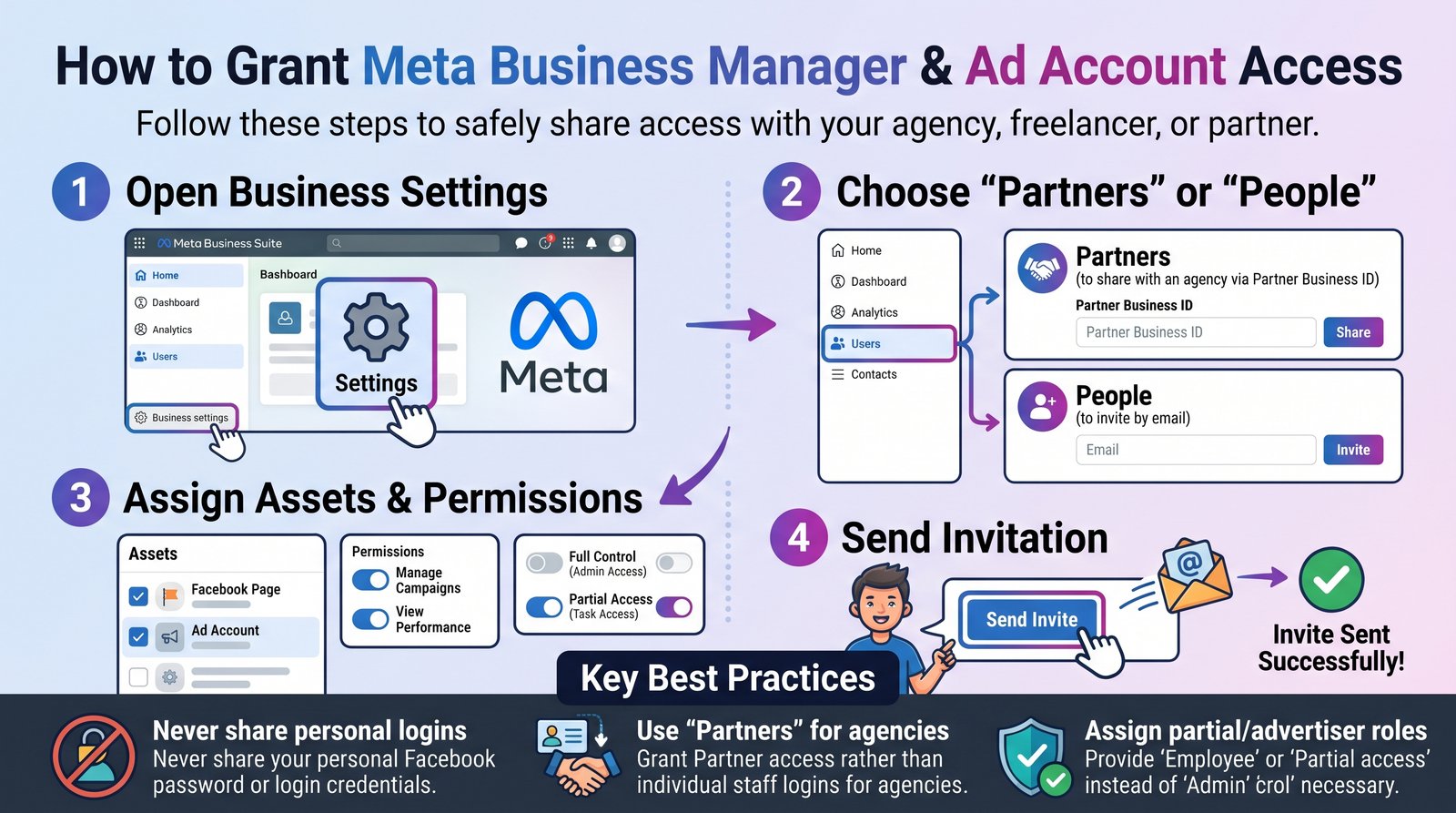
Navigate to Meta Business Settings
Log in to your desktop browser and go to business.facebook.com/settings. Select your company Business Portfolio.
Select "Partners" in Left Sidebar
Under Users in the left menu, click on Partners. Then click the blue button: "Add" -> "Give a partner access to your assets".
Enter Nextora Digital Partner Business ID
Copy and paste our verified Agency Partner Business ID: 108492038475928, then click Next.
Assign Assets & Permissions
Under "Pages", select your Facebook Page and grant "Create Content & Ads". Under "Ad Accounts", select your Ad Account and grant "Manage Campaigns". Under "Pixels / Datasets", grant "Manage Pixel".
Save Changes & Confirm
Click "Save Changes". Nextora Digital team will receive the notification and accept the partner delegation within 1-2 hours.